

Google Analytics 4 (GA4) is the most recent version of Google Analytics, and it offers a number of new features and capabilities. One of these new features is the ability to export data to BigQuery, a cloud data warehouse. This allows users to perform more complex analyses on their GA4 data using SQL.
To keep this a practical example, I am importing the GA4 data that is being tracked on my personal website https://www.advancedmartech.com/.
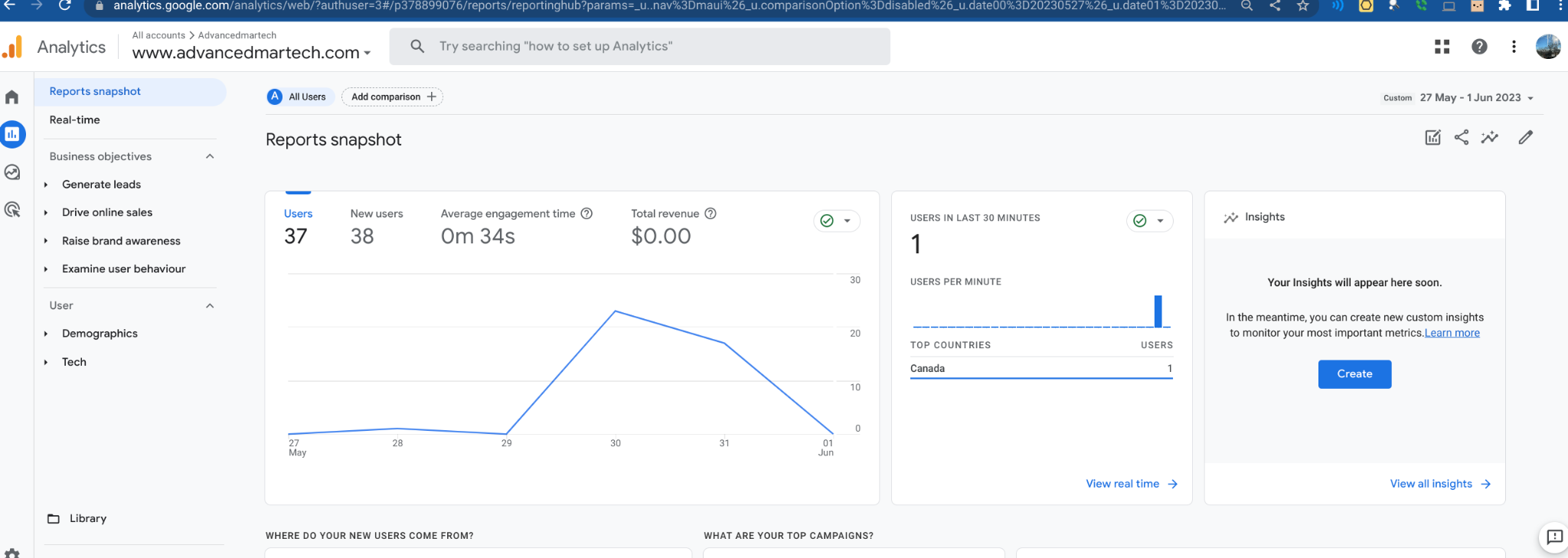
Here is the screenshot of my GA4 Home page: [Please don't judge me for the users, I launched the website 2 days back :)]
And this is how the data looks when imported into BigQuery:
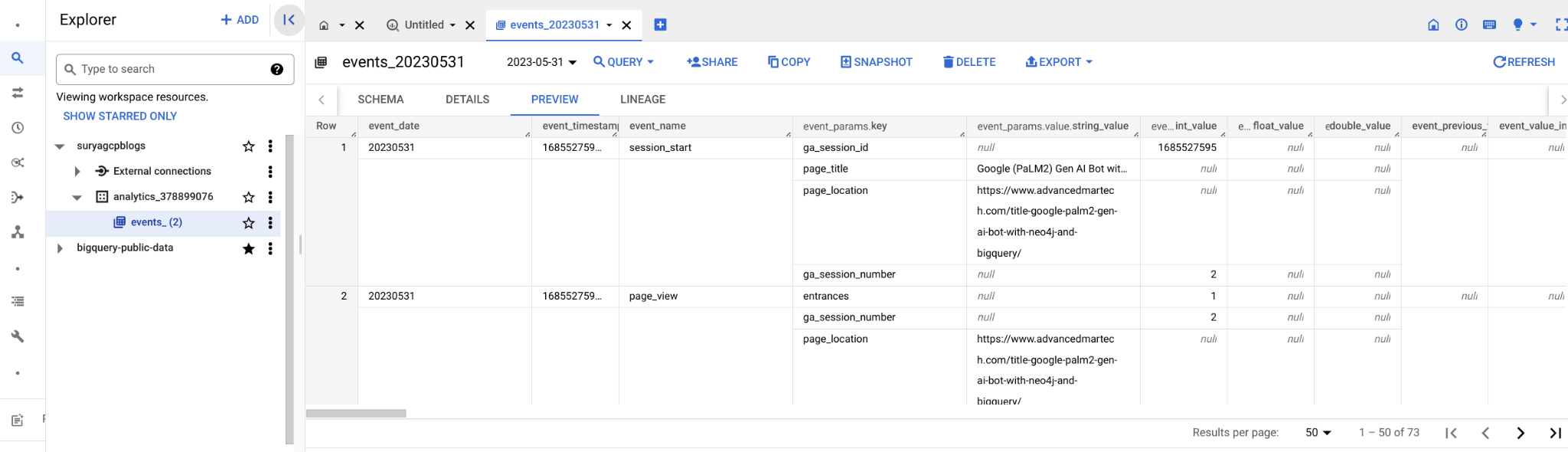
The following tables are included in the standard schema when data is exported from GA4 to BigQuery:
- events: This table contains all of the events that have been recorded by GA4. Events are user interactions with your website or app, such as pageviews, button clicks, and form submissions.
- sessions: This table contains information about each session that a user has started on your website or app. A session is a period of time during which a user is actively interacting with your site or app.
- users: This table contains information about each user who has interacted with your website or app. This information includes the user's ID, their demographic information, and their interests.
As the first step, let's link my GA4 property (where my website is tagged) to my GCP BQ Project. Let’s take a closer look at each of these steps that would help you link it. You need to have Admin rights in GA4 to execute these steps.
In Google Analytics, click Admin.
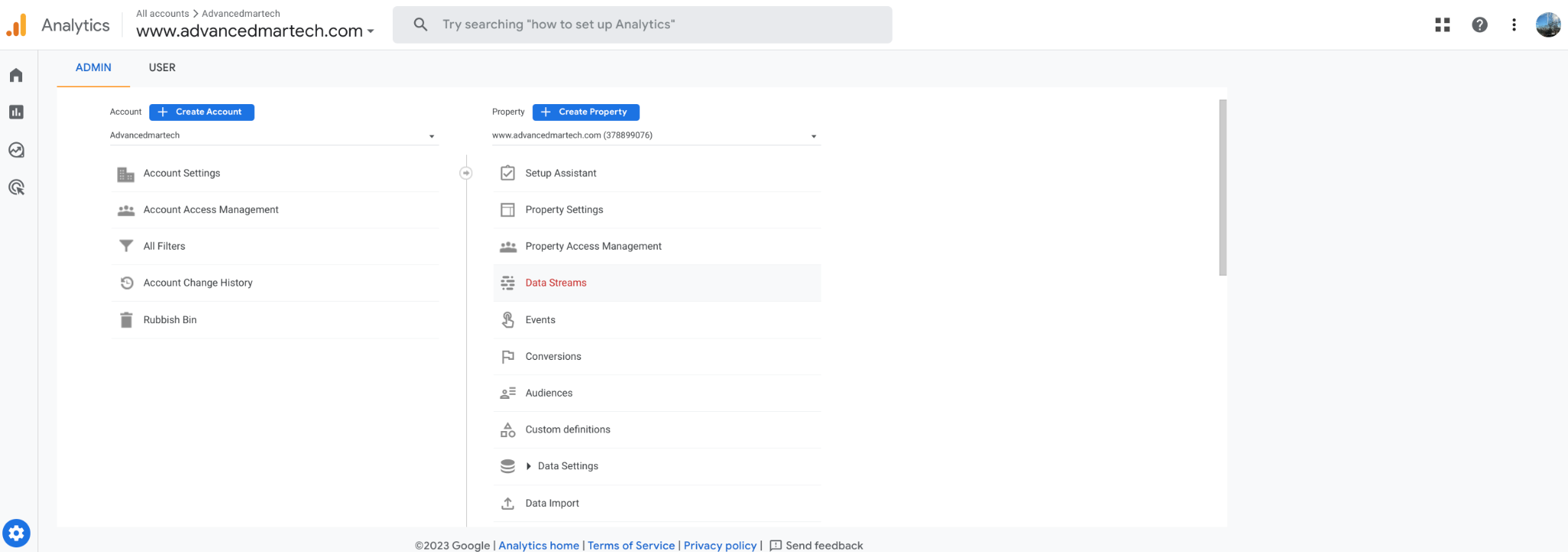
In the Property column, under PRODUCT LINKS, click BigQuery Links.
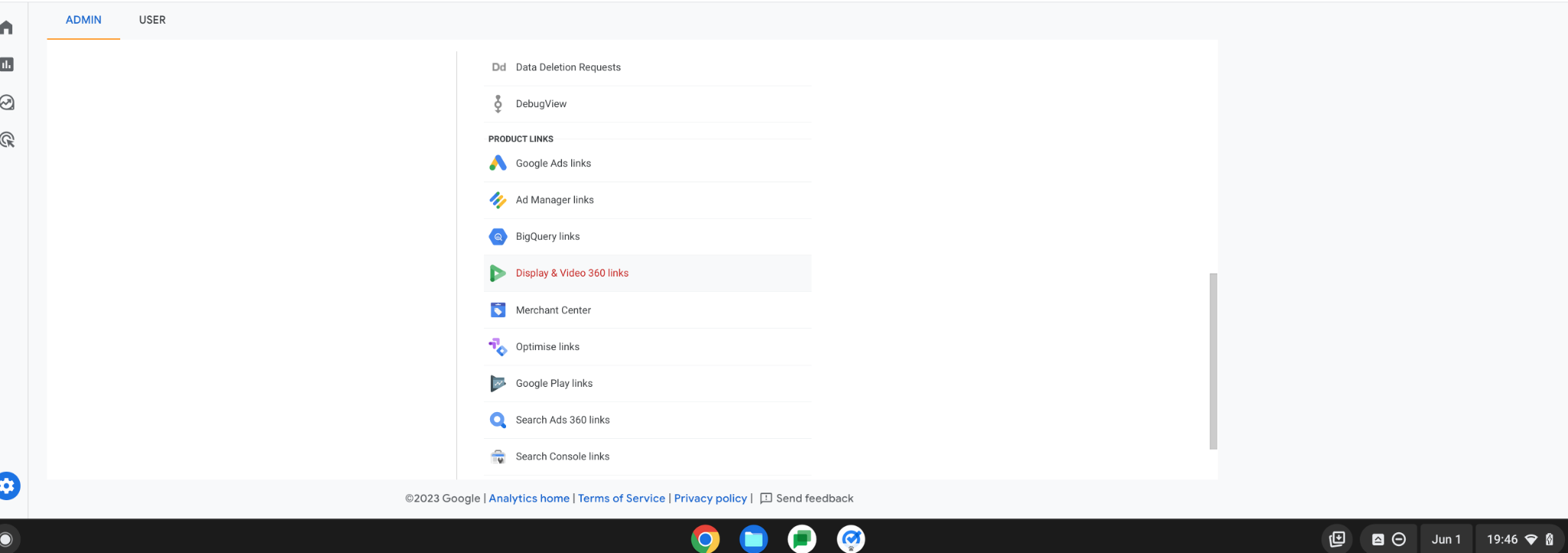
Click Choose a BigQuery project to display a list of projects for which you have at least read permission.
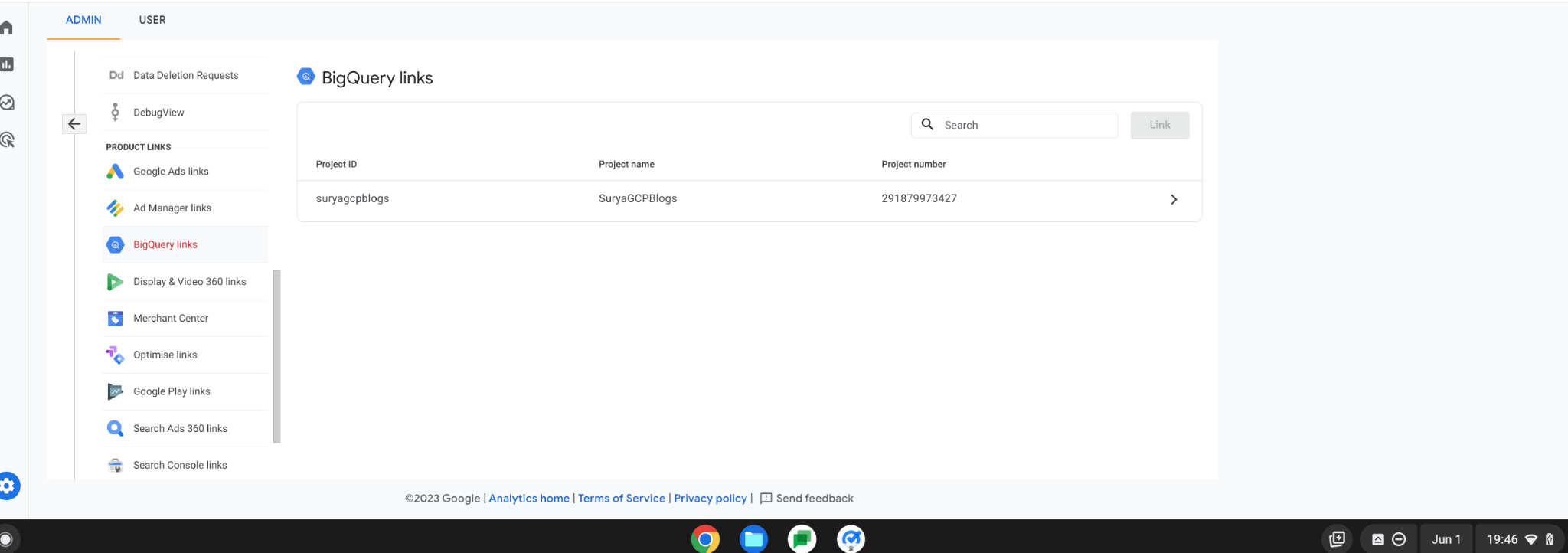
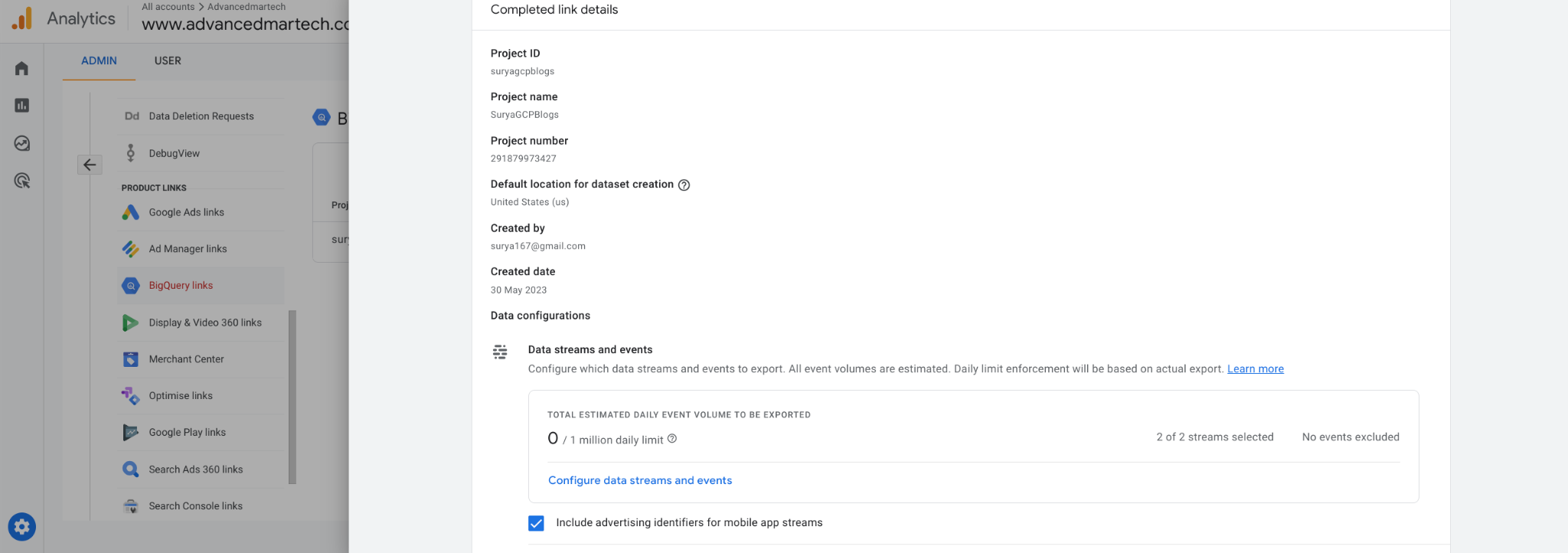
Review your settings, then click Submit and Save
After completing the above steps, the data will begin to flow into BigQuery in an hour or so, and you should see a table named "Events" under the project you selected.
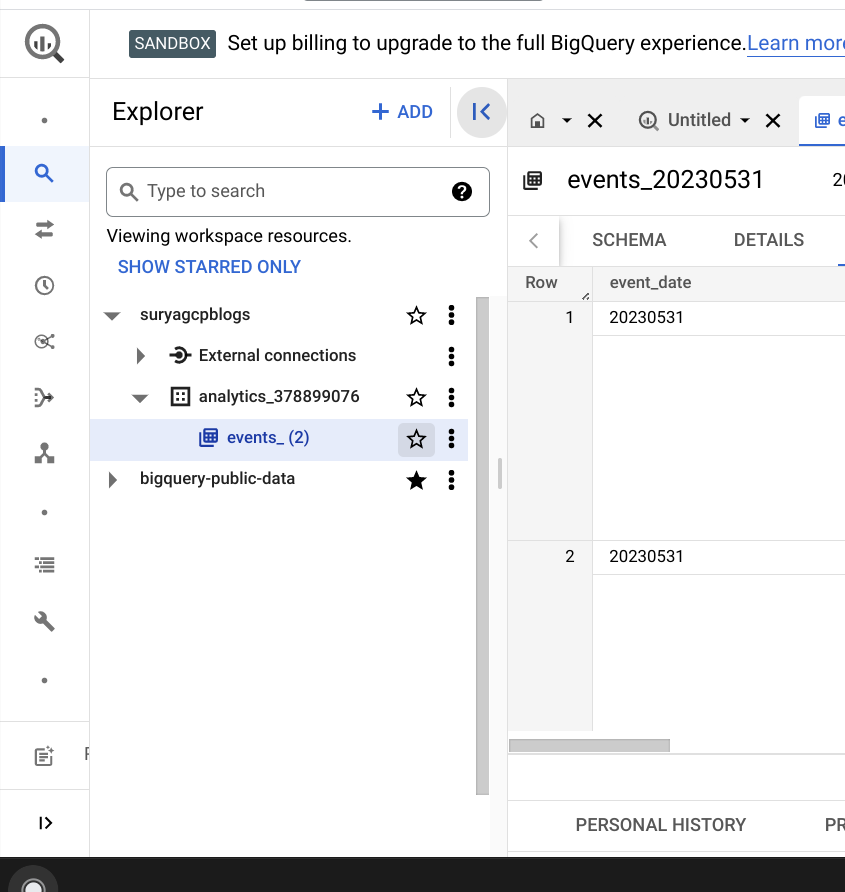
Once the link is established between my GA4 and BigQuery, the data should start flowing between the property and GCP.
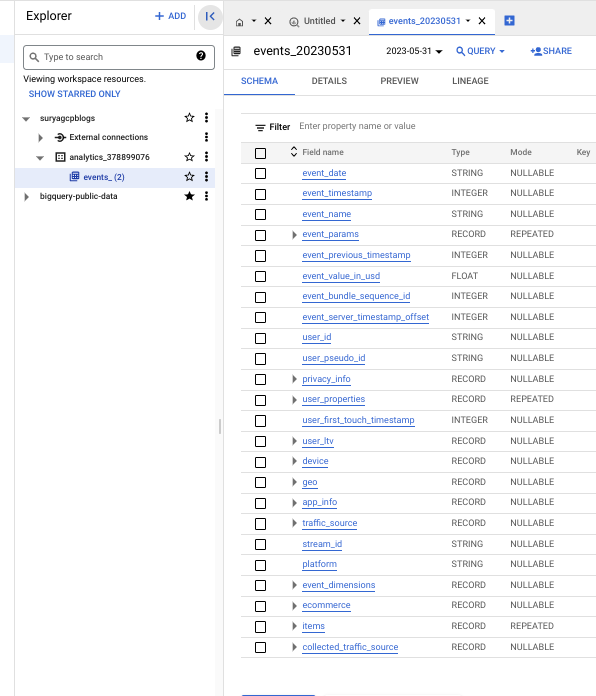
The data in these tables is stored in a columnar format, which means that the data is stored in columns rather than rows. This format makes it more efficient to query the data, as it allows the database to quickly find the data that you are looking for.
In the next blog, I will create a Customer Segmentation using K-Means algorithm within BigQuery and showcase how we can create a Re-Targeting campaign with different strategies for each segment - AKA - Data Driven Marketing Strategy!